
Features
This app lets your team share a single booking page. Visitors pick a team member, choose a date and time, and get a confirmed meeting with optional reminders and a join link. Team members set availability (including buffers and minimum notice), connect Google Calendar or CalDAV, accept or decline requests, and can embed the booking page on your website.
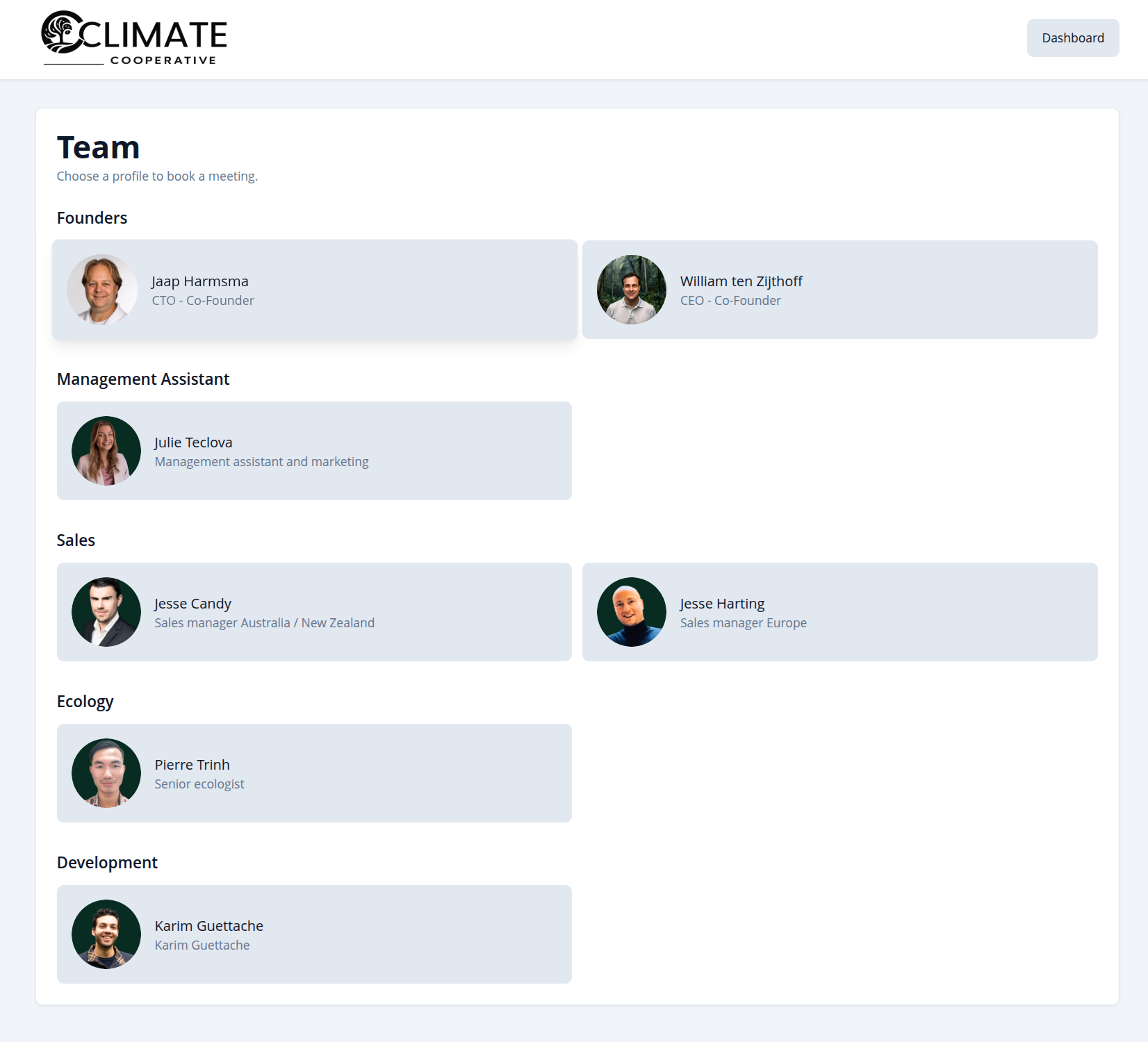
Team overview
The public team page shows everyone who is available for meetings. Visitors can browse by department, see names and roles, and click through to book a meeting with the person they need.
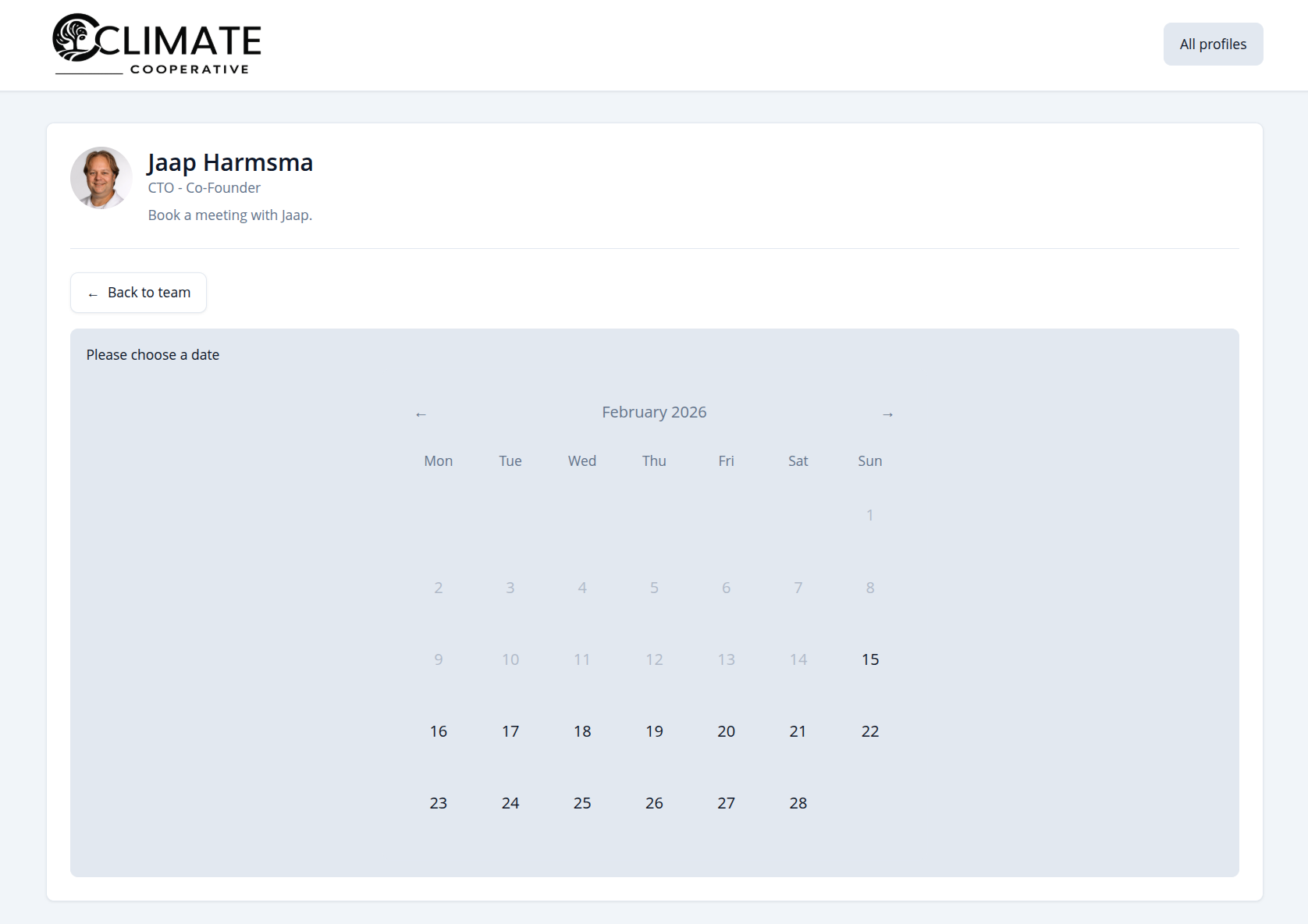
Pick a date
When booking a meeting, you first choose a date from the calendar. Only dates with available slots are selectable, so you never pick a day when your host is unavailable.
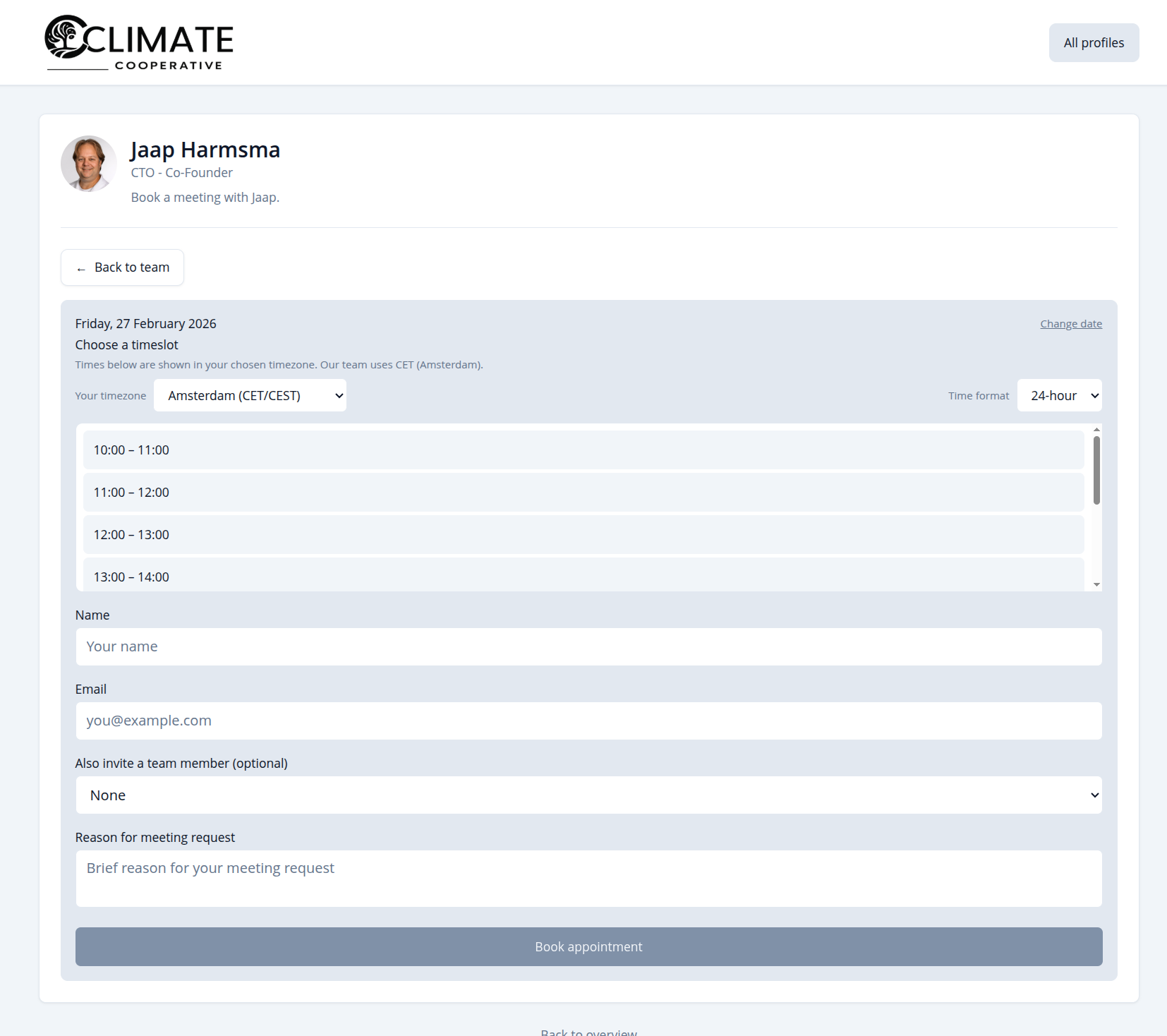
Pick a time & confirm
After selecting a date, you see available time slots (respecting the host's minimum notice and buffer). Choose a slot, enter your name and email (and optional message), and confirm. You’ll receive a confirmation by email; if the host has a meeting link, you'll see a Join meeting link right away and in reminder emails.
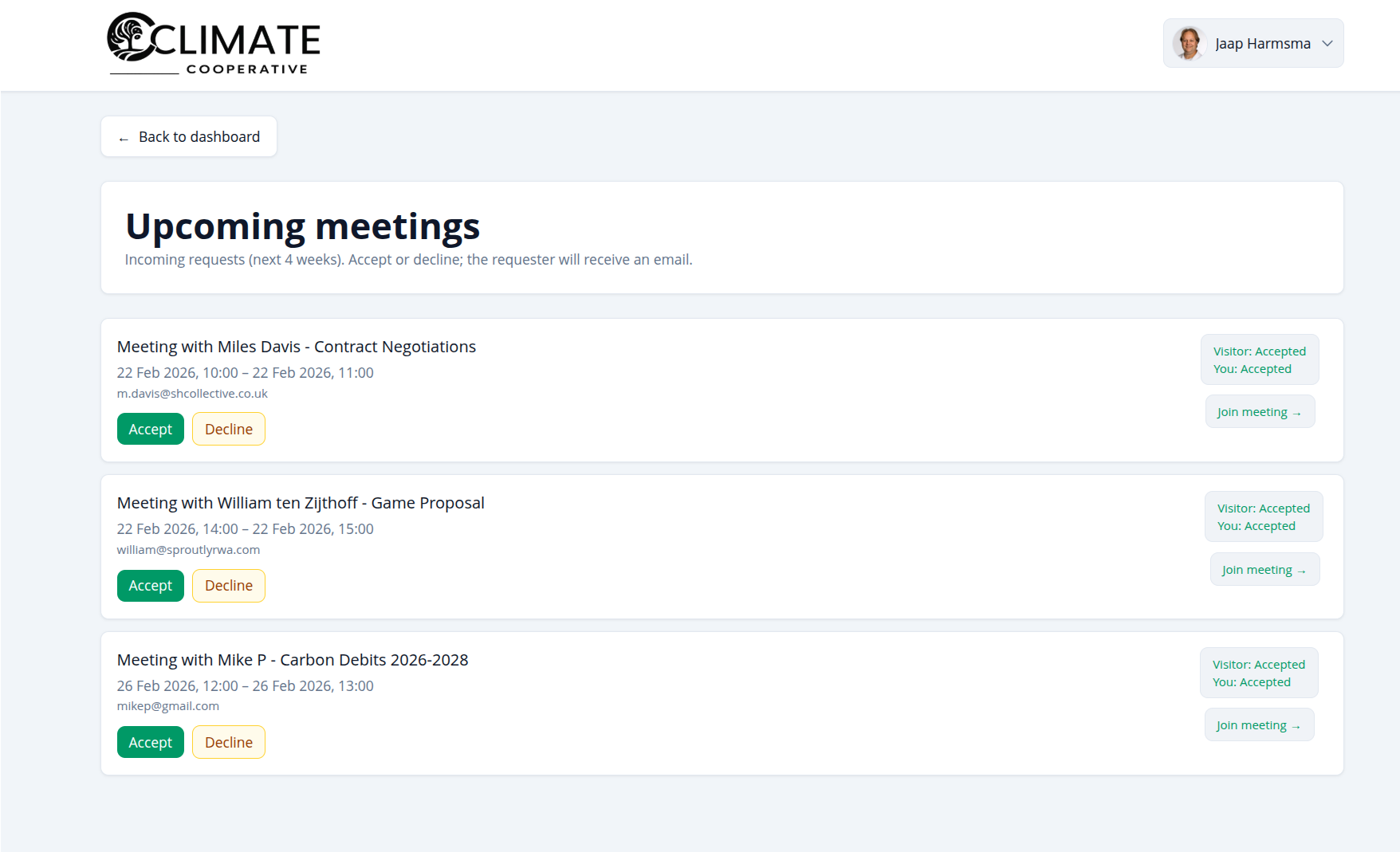
Meetings overview
As a team member, you see all your upcoming and past meetings in one place. Accept or decline pending requests, and for accepted meetings use the Join meeting link when the host has set one. Reminder emails are sent to visitors before the meeting (e.g. 24 hours before) when enabled.
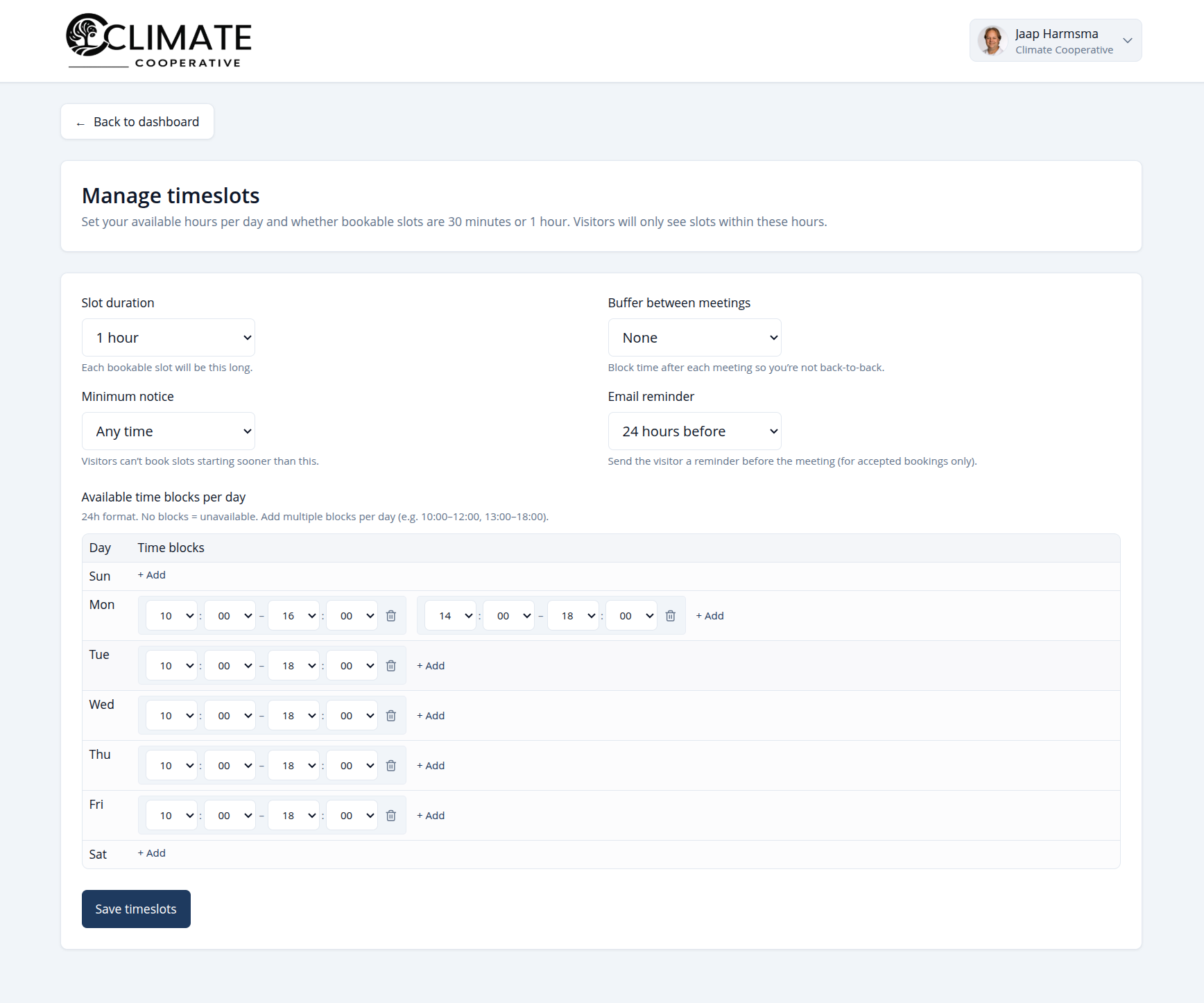
Configure your availability
Set your weekly availability: which days and time windows you’re available, slot duration (30 or 60 minutes), buffer between meetings, minimum notice (how far in advance visitors must book), and optional email reminders (e.g. 24 hours before) for accepted bookings. Multiple windows per day are supported.
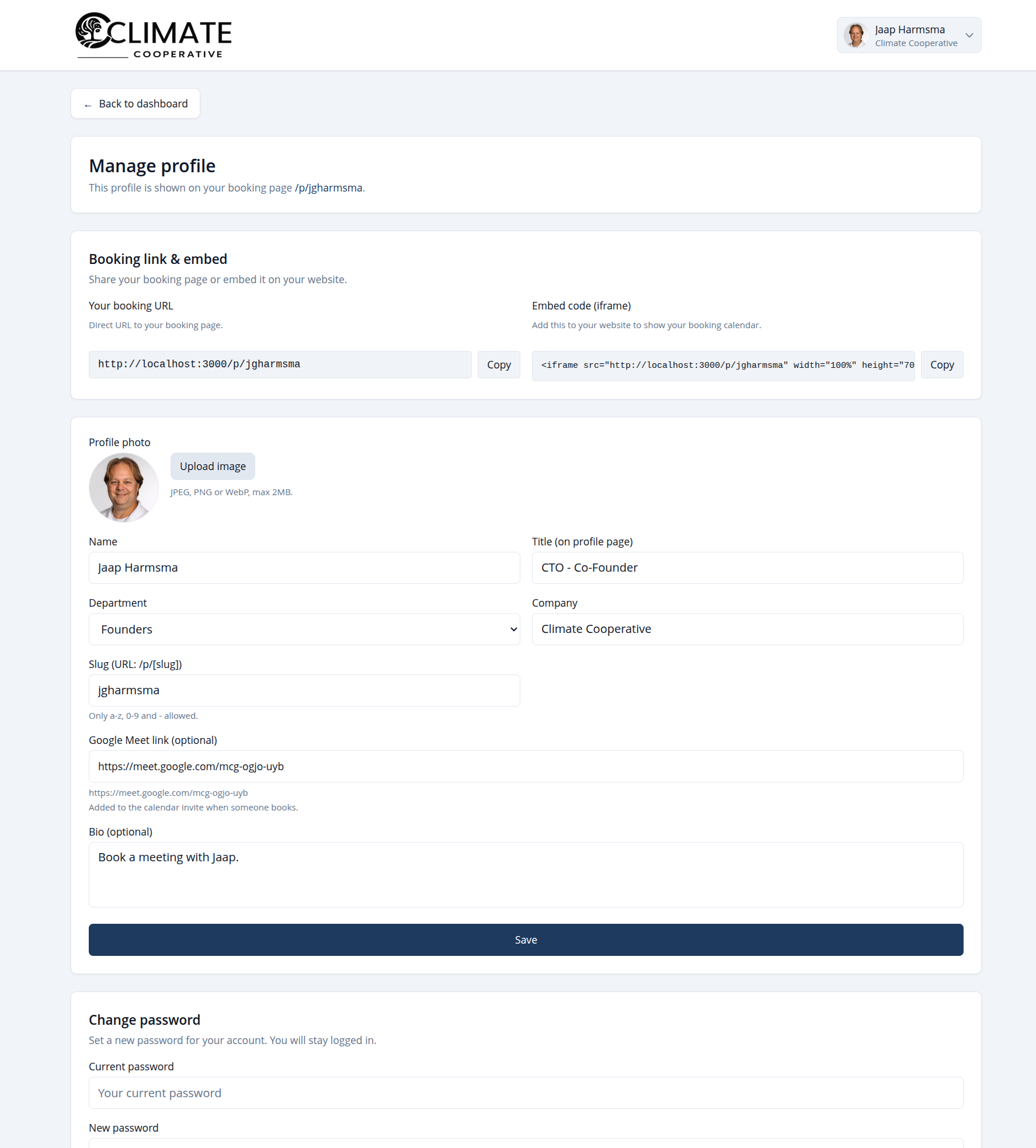
Manage your profile
Your public profile is what visitors see before they book. Update your photo, title, department, company (SuperUser sets the company name for the whole team), short bio, booking page slug, and an optional meeting link (e.g. Google Meet). Copy your booking URL or embed it on your website with the provided iframe code.
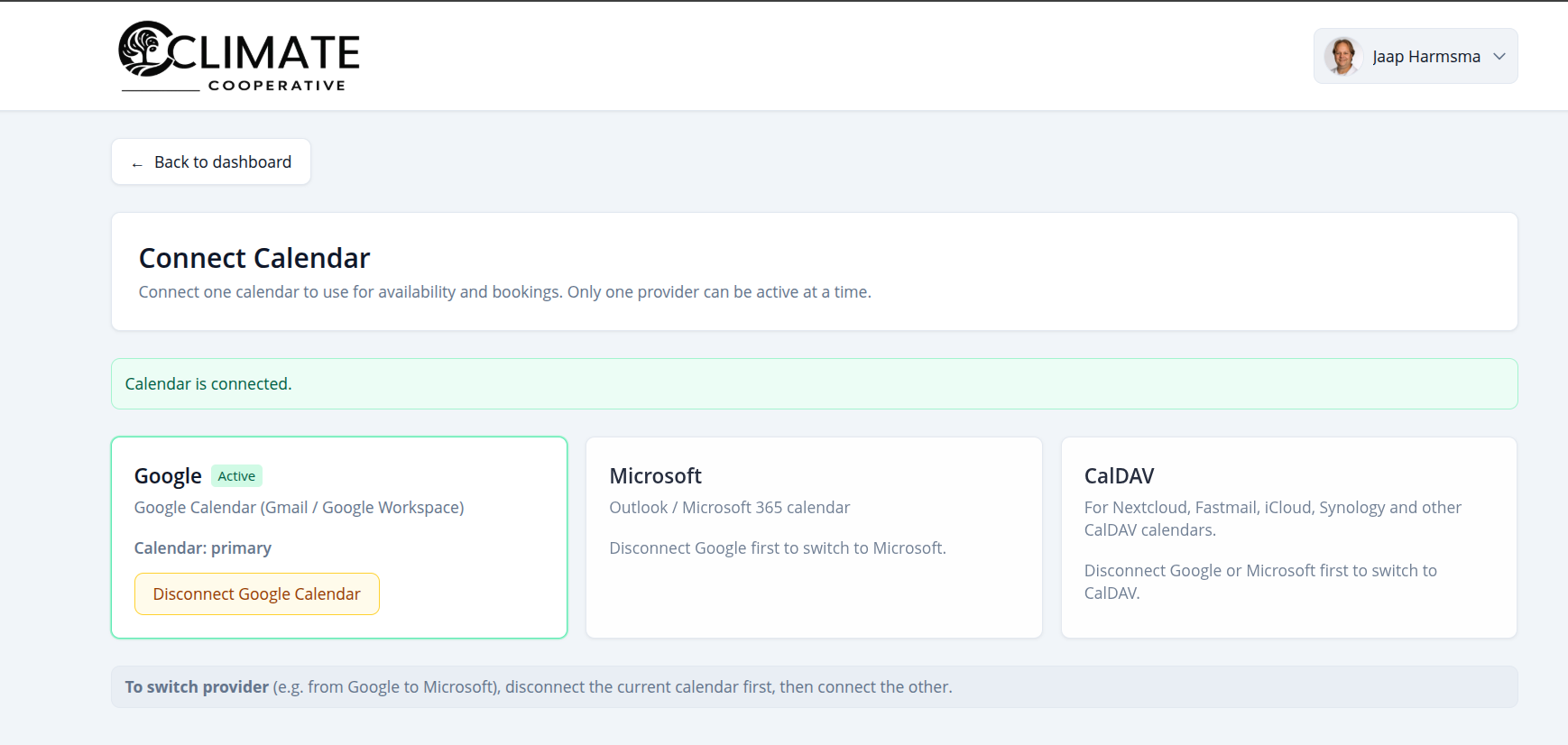
Calendar integration
Connect Google Calendar, Microsoft (Outlook) or CalDAV so your availability is always in sync. New bookings are added to your calendar automatically, and existing events block time so you’re never double-booked.
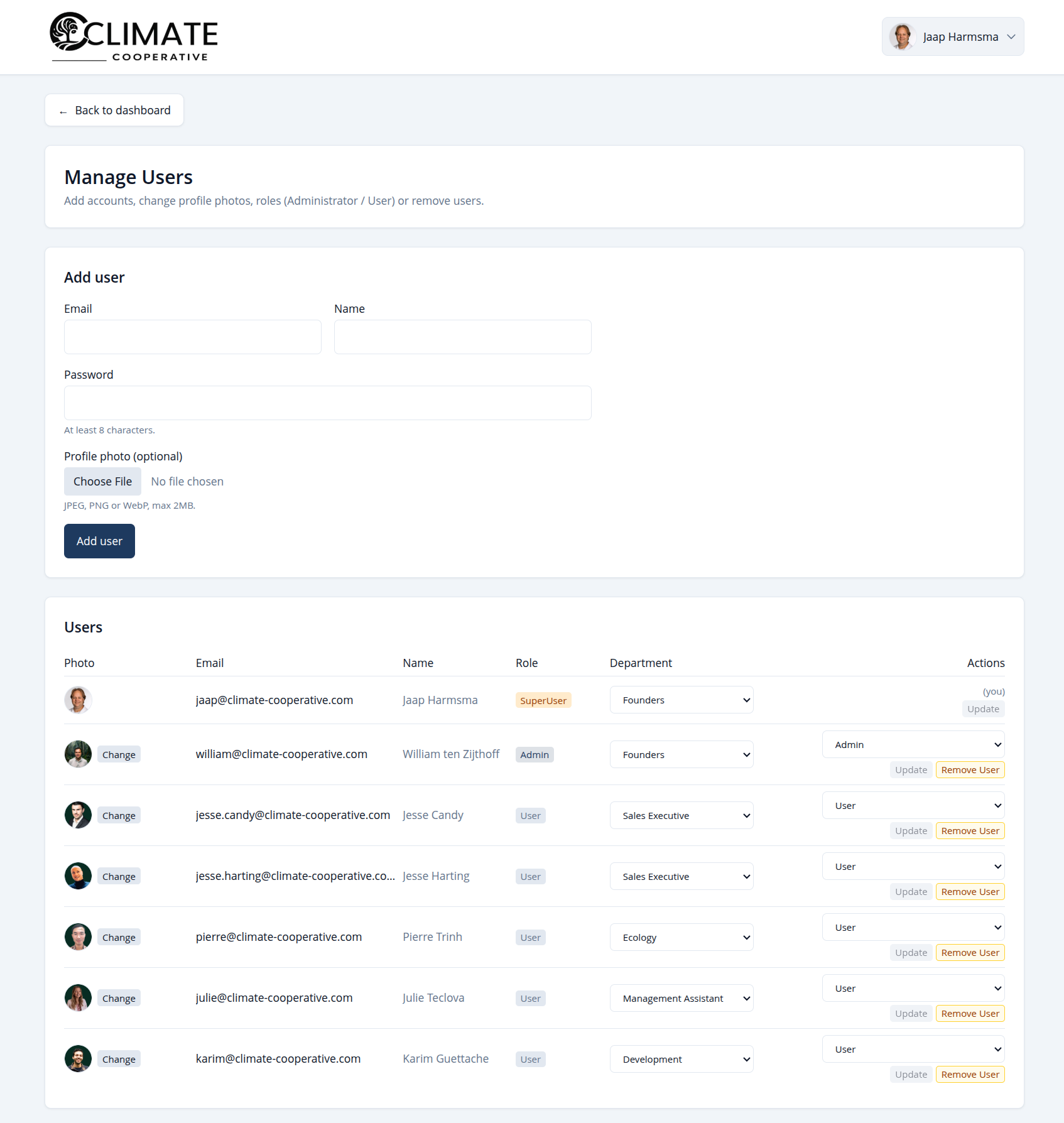
Manage users (admin)
Admins and superusers can invite and manage team members: add or remove users, change roles, and edit profile photos. The SuperUser sets the company name shown for everyone in the account menu; other users see it but cannot change it. Perfect for onboarding new colleagues or updating access.
Ready to get started? Go to the team page to book a meeting, or log in to manage your dashboard.